Skip to content
v…

Importing Data

6 Topics 10 Posts

SD cards, folders, ResMed / Philips / Löwenstein / BMC quirks, chunked uploads.

  • 0 Votes
    1 Posts
    7 Views
    S
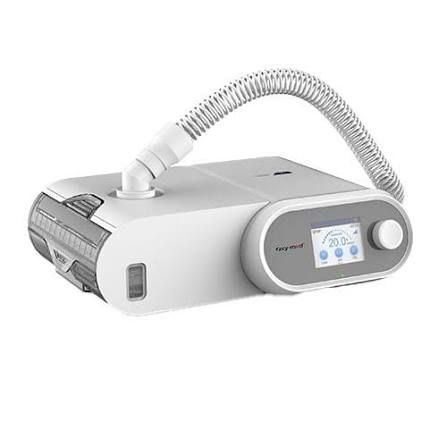
    The Luna range is built by BMC Medical and sold under the React Health / 3B Medical brand, which is why the same machine has two names depending on where you bought it. Three card layouts turn up, and you select the card root for all three. 1. Luna G3X (and BMC G3 A20 / B20A on recent firmware) The card root holds files named after the machine's serial number — something like A31XXXXXXXX.idx, .evt, .set and .log, plus numbered waveform files .000, .001 and so on. You will probably also see nP3-… files (the machine's language packs) and a System Volume Information folder. All of that is normal. Select the whole card. 2. Luna G2S (the older Luna) The same serial-named files, but with a .USR file where the G3 platform has .evt. 3. Luna II / Hoffrichter POINT (ResVent format) A card with THERAPY and RECORD folders. The two questions we get most "My Luna G3X shows up as BMC Medical G3 A20." That is correct, and it is your machine. The device reports itself as a G3 A20; SomniCharts prints what the machine says rather than what the retail box says. Your data, charts and settings are complete — only the label differs. "My G3X card went to DropBox review from the phone." The Android app needs version 1.12 or newer to recognise the G3-platform layout. Update from Google Play and upload again, or upload the same card from the web app. Worth knowing: the G3 card format is newer than some other tools can read. If a different program refuses your card, that is not a sign the card is damaged. Nothing on SomniTalk is medical advice. Talk to your own clinician before changing therapy.
  • 0 Votes
    1 Posts
    8 Views
    S
    Löwenstein (prisma series) data comes out of prismaTS, and there are two shapes of it. Both are supported, and you do not need to convert between them. A DCM folder exported from prismaTS — select the folder (or the card/folder that contains it). A dcm.zip archive — upload the zip as it is. Do not unpack it first; the importer reads the archive directly. Notes specific to these machines A zip that contains programs is normal. Löwenstein's own exports bundle vendor support files alongside the data. The upload scanner is built to expect that and lets the archive through — you do not need to strip anything out. The model is decoded from the file, not from the box. The prisma range covers CPAP, auto, bilevel and S/T modes, and the mode determines which channels and which pressure settings appear afterwards. A prisma bilevel will show pressure rows a prisma CPAP does not, and that is correct. Big exports. Long prismaTS exports can be large; if one exceeds the per-upload limit, export it in shorter date ranges and upload them one after another. They merge. Re-exporting the same range is safe — duplicates are skipped. If a prismaTS export is refused or lands in DropBox review, say which prisma model and which prismaTS version produced it. That pair is usually the whole answer. Nothing on SomniTalk is medical advice. Talk to your own clinician before changing therapy.
  • 0 Votes
    1 Posts
    7 Views
    S
    What to select: the card containing the P-SERIES folder — either the card root or the P-SERIES folder itself. That covers DreamStation, DreamStation 2 and System One. The question that comes up every week: "why do I have fewer charts than my friend?" Because the machine records fewer channels, and the app shows you what the machine actually wrote rather than drawing empty boxes. DreamStation 2, and the DreamStation 1 Auto CPAP models, record a flow waveform only — one signal, at a low sample rate. There is no mask-pressure waveform on the card at all. They also do not record tidal volume, respiratory rate or minute ventilation. Those exist on bilevel and ASV machines, not on these CPAPs. So on those devices SomniCharts hides mask pressure, minute ventilation, respiratory rate and tidal volume, and the statistics table shows the channels that exist: pressure, leak, snore, and inspiratory/expiratory time. Nothing is broken and nothing failed to import. A DreamStation CPAP simply writes less to the card than a ResMed AirSense does, and less than a Philips bilevel does. Other things worth knowing Model names. Cards identify the machine by a model number (the 500X/501X family and friends). Devices registered before the friendly-name work still display as their raw number — same machine, older label. Event types. Periodic breathing and variable breathing are real, separately reported events on these devices, not a lumped "other" category. System One cards import as well, with the older feature set of the machine. If your Philips card imports but a chart you expected is missing, say which exact model you have — the answer is nearly always the channel list above. Nothing on SomniTalk is medical advice. Talk to your own clinician before changing therapy.
  • 0 Votes
    1 Posts
    7 Views
    S
    Select the card root. Not DATALOG, not a single month folder — the whole card. A ResMed card (AirSense and AirCurve 10/11, S9) carries: DATALOG/ — the nightly detail, one folder per date, holding the high-rate waveform and event files. This is the bulk of the card and the part that takes time to import. SETTINGS/ — your therapy settings as the machine recorded them over time. STR.edf — the summary file: one row per night, covering usage, leak, AHI and pressure statistics. This is what makes a long history import quickly even when the detailed nights are pruned off the card. Identification.* — what the machine says it is. This is how the importer knows the model. Practical notes The card prunes itself. Machines keep a limited window of detailed nights but a much longer summary history. If your charts show a year of trends but only a few months of detailed waveforms, that is the card, not the import. Upload the whole card each time. Re-uploading is safe — de-duplication skips everything already present, and the new nights merge in. Don't reorganise the card. Moving files out of DATALOG breaks the date structure the importer reads. Cards over 5 GB go up in batches; the batches merge automatically. Oximetry, where you record it on a compatible setup, arrives with the nightly data and appears on its own tiles rather than in the flow charts. If a card refuses to be recognised, send it through the DropBox fallback rather than reformatting anything — that is the route that gets a layout looked at. Nothing on SomniTalk is medical advice. Talk to your own clinician before changing therapy.
  • 0 Votes
    3 Posts
    1 Views
    D
    A related one, because it produces the same "is it stuck?" feeling: an import that shows "Queued (position N)". Two imports run at a time across the whole service. If both slots are busy — which happens when somebody uploads to several profiles back to back — yours waits, and starts by itself when a slot frees. Nothing is lost by queueing and nothing needs re-uploading. The processing indicator stays visible the whole time; that is how you know it is alive. The genuinely stuck case looks different: the indicator disappears and no sessions arrive. The server's watchdog marks a dead import as failed and tells you to re-upload — and because of de-duplication, re-uploading is safe.
  • 0 Votes
    3 Posts
    1 Views
    N
    Worth saying out loud for anybody new reading this: you cannot break your data by uploading too often. People new to this tend to upload once, get a scare, and then not touch it for a month. Upload the whole card whenever you happen to have it out — after a trip, at the end of a month, whenever. Only the new nights land. There is no counter, no penalty, and no way to create a duplicate night by trying.